SAP S/4 HANA Data migration
SAP S/4HANA Data Migration Cockpit (Legacy Transfer Migration Cockpit (LTMC))
Migration Approach
Moving on to data migration approaches, finding the right approach is key to faster data migration. The current version of SAP S/4HANA DMC supports the following.
Staging Tables Approach
Direct Transfer Approach
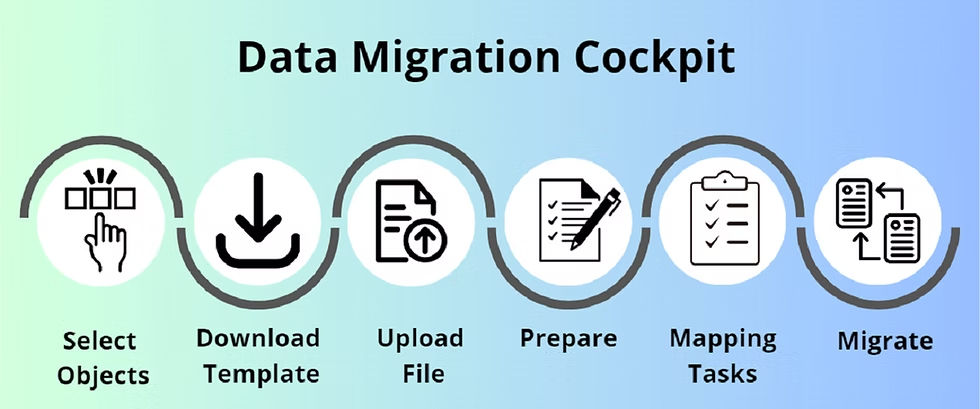
Staging Tables Approach A staging table is the database table that holds the data (to be migrated) of the source system and acts as a temporary staging buffer. Staging tables reside in the SAP S/4HANA DMC. In this approach, the user holds the responsibility to provision data. In other words, the user is responsible for selecting the data that needs to be moved into the staging table. There are two ways to use Staging Tables.
1. Access Migrate Your Data (Migration Cockpit) from the Fiori launchpad.
2. Create a migration project.
3. Establish a database connection between source system and target system (either locally or through remote connection).
4. Continuing further, the user is prompted to choose a development package in the Migration Cockpit. Once the user chooses a development package, it cannot be changed later.
5. Migration Scope
6. Download Template
7. Upload
8. Prepare
9. Simulate
10. Migrate
Direct Transfer (DT) Approach
This approach was first introduced into SAP S/4HANA Data Migration Cockpit during SAP S/4HANA 1909’s release. This is applicable for SAP system users that have an ABAP-based source system in place. Also, any existing SAP user can upgrade to a new generation of SAP product using this approach. In DT, data provisioning is done by establishing an RFC (Remote Function Call) connection between the source and target systems—source system is mostly an SAP ERP system. Remote Function Call (RFC) is the standard SAP interface for communication between SAP systems.
In a DT approach, the Migration cockpit is completely responsible for data provisioning in the source system. In other words, data selection is highly automated. Other than the Migration Scope phase, this approach follows the same process as that of Staging Tables.
Direct Transfer approach is not a 1:1 approach.
DT is applicable for the following source systems.
The target system here would be
SAP S/4HANA.
SAP ERP 6.0 (EHP6 and above)
SAP Advanced Planner and Optimizer (APO)
SAP Apparel and Footwear (AFS)
SAP Customer Relationship Management (CRM)
SAP Extended Warehouse Management (EWM)
Project Gallery


